Welcome to ESSO '4K' APPS

Join us now to get access to all our features. Once registered and logged in, you will be able to create topics, post replies to existing threads, give reputation to your fellow members, get your own private messenger, and so, so much more. It's also quick and totally free, so what are you waiting for?

Forum Rules

Please : Read and Ask questions and to avoid getting banned!

Advertising

Don't miss the opportunity to make yourself known to the world.

Account upgrade

Upgrade your account to unlock premium ibo resources!
ibo-reseller-v5 !
✨ New reseller IBO Player panel with automatic testing, DNS, username and password. You can schedule activation days and create a section for activating reseller MAC addresses. Each reseller has access to the panel with their login credentials. Multi-DNS panel. Be among the first to download it. ✨
It's free regardless of the VIP package: 1 week, 2 weeks or 1 month.
I'm taking advantage of the offer
Web page! Esso4k-IBOv2 Red . Take advantage of it →
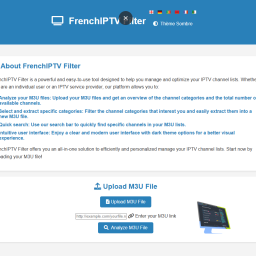
IPTV-EDIT.exe (edit and organize your m3u)

DOWNLOAD IPTV-EDIT.exe (edit and organize your m3u) 2024-10-10

Register & Get access to index

The warning in this field is displayed on the resource view when viewing the resource.

IPTV-EDIT.exe (edit and organize your m3u)

IPTV Editor is a program that allows you to import M3U or CSV playlist files for IPTV channels. It allows you to sort by channel, groups, etc. You can manage the information below with this editor.


1:Channel name Channel number (or leave blank)
2:TV Guide Name (for EPG work)
3:Name of the group to which the channel belongs
4: IP/Host URL
5:Icon URL

In addition to modifying this basic information, it allows you to do imports to add lists together (instead of just editing one list at a time). You can check the links in your list to make sure they are not dead (does not test feed availability). You can then remove all dead link channels with just one click of a button. You can also export it in two different M3U formats. Each is compatible with different players. One just has the channel number and name on one line, and the URL on the next. The other type (listed as Kodi in Export), exports all the information you can manage per channel and can be used with an EPG setup if you create an EPG and have the correct names in the M3U file. You can even copy all channel names to EPG names if they were blank or listed as EPG N/A with just one click.

Xtream Server 4.9
DOWNLOAD  Xtream Server 4.9  2024-12-03
  • LIKE
Reactions: MrMcPhister
Author
esso4k
Price
100 credits
Downloads
0
Views
212
First release
Last update

Ratings

0.00 star(s) 0 ratings

More resources from esso4k

Similar content Most view View more

Esso4kv2 AUTO-TEST !

Connect Free our PANEL .
and download our APK for free (registered members only).!

shape1
shape2
shape3
shape4
shape5
shape6
Back
Top