Welcome to ESSO '4K' APPS

Join us now to get access to all our features. Once registered and logged in, you will be able to create topics, post replies to existing threads, give reputation to your fellow members, get your own private messenger, and so, so much more. It's also quick and totally free, so what are you waiting for?

Forum Rules

Please : Read and Ask questions and to avoid getting banned!

Advertising

Don't miss the opportunity to make yourself known to the world.

Account upgrade

Upgrade your account to unlock premium ibo resources!
ibo-reseller-v5 !
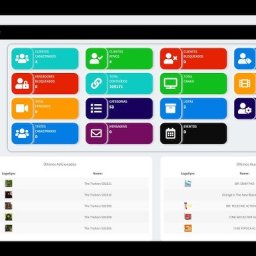
✨ New reseller IBO Player panel with automatic testing, DNS, username and password. You can schedule activation days and create a section for activating reseller MAC addresses. Each reseller has access to the panel with their login credentials. Multi-DNS panel. Be among the first to download it. ✨
It's free regardless of the VIP package: 1 week, 2 weeks or 1 month.
I'm taking advantage of the offer
Web page! Esso4k-IBOv2 Red . Take advantage of it →
Topaz Photo AI for MacOS v3.5.0 With Patch

RESOURCE Topaz Photo AI for MacOS v3.5.0 With Patch v3.5.0

Register & Get access to index

The warning in this field is displayed on the resource view when viewing the resource.

⊱◦✨◦⊰ TTopaz Photo AI for MacOS v3.5.0 With Patch ⊱◦✨◦⊰

Topaz Photo AI for MacOS v3.5.0 With Patch.png


Topaz Photo AI full version standalone offline installer for macOS. It leverages the latest artificial intelligence (AI) advancements to transform your ordinary photos into extraordinary masterpieces.

Overview of Topaz Photo AI for macOS
✨Topaz Photo AI is an innovative image editing software that uses AI technology to enhance and optimize your photographs. This application simplifies complex editing processes and produces stunning results with just a few clicks. From basic adjustments to advanced retouching, Topaz Photo AI offers a comprehensive suite of tools to fulfill the creative vision of photographers, designers, and digital artists.
Whether a beginner or a seasoned pro, Topaz Photo AI offers a wide range of features and tools to take your image editing skills to new heights, sharpen, remove noise, and increase the resolution of your photos with tomorrow’s technology. Topaz Photo AI supercharges your image quality so you can focus on the creative part of photography.

Features of Topaz Photo AI for macOS

AI-Powered Enhancements
✨Topaz Photo AI utilizes advanced AI algorithms to automatically enhance various aspects of your images, including exposure, color balance, clarity, and detail. It analyzes your photo and makes intelligent adjustments, resulting in stunning improvements without sacrificing naturalness.

Noise Reduction and Sharpening
✨With Topaz Photo AI, you can effortlessly reduce noise in your photos and enhance image sharpness. The software intelligently removes unwanted noise while preserving important details, allowing you to achieve clean and crisp results.

Advanced Adjustments
✨Take complete control over your images with various adjustment tools. Topaz Photo AI provides precise sliders and controls for exposure, contrast, saturation, shadows, highlights, and more. Fine-tune each parameter to achieve the desired look and feel for your photographs.

Portrait Enhancements
✨Topaz Photo AI offers specialized features for portrait photographers. The software intelligently detects and enhances facial features, smoothens skin tones, removes blemishes and adds realistic digital makeup. Transform your portraits into flawless works of art effortlessly.

Batch Processing
✨Save time and streamline your workflow with the batch processing feature. Apply your desired adjustments to multiple images simultaneously, allowing you to edit large collections of photos efficiently.

Plugin Integration
✨Topaz Photo AI integrates with popular photo editing software like Adobe Photoshop, Lightroom, and Apple Photos. Enhance your editing capabilities by accessing Topaz Photo AI directly within your preferred editing environment.

Technical Details and System Requirements
✨macOS 11.0 or later
✨Intel / Apple M1/M2

FAQs
✨Q: Is Topaz Photo AI suitable for beginners?
✨A: Absolutely! Topaz Photo AI is designed to be user-friendly, with intuitive controls and automated features. Beginners can achieve impressive results quickly, while advanced users can explore extensive adjustment options for more precise editing.

✨Q: Can I use Topaz Photo AI as a standalone application?
✨A: Topaz Photo AI can be a standalone application, allowing you to import and edit images directly. Additionally, it can be used as a plugin within compatible editing software.

✨Q: Can I undo changes made with Topaz Photo AI?
✨A: Topaz Photo AI maintains a non-destructive editing workflow, meaning you can always revert to the original image or make changes to specific adjustments. You have full control over the editing process.

Conclusion
✨Topaz Photo AI for macOS is a game-changer for image editing, providing beginners and professionals with powerful tools to transform their photos effortlessly. With its AI-powered enhancements, advanced adjustments, and seamless integration with popular editing software, Topaz Photo AI is a must-have for anyone looking to take their photography and creative projects to the next level. Experience the magic of AI in photo editing and unlock the full potential of your images with Topaz Photo AI.

Similar resources

Similar content Most view View more

Esso4kv2 AUTO-TEST !

Connect Free our PANEL .
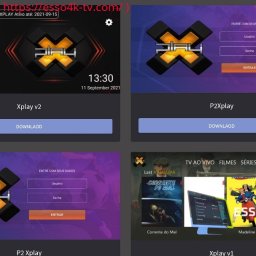
and download our APK for free (registered members only).!

shape1
shape2
shape3
shape4
shape5
shape6
Back
Top